現在有許多網站使用UserAgent,主要是向用戶端發送用戶代理請求,讓用戶端提交一個特定的字串來標示自己的身份,以及相關的訊息,例如裝置、作業系統、應用程式,來表明使用的身份。而服務端一接收到這樣的身份識別後,就可以做出相對應的動作,例如為PC與mobile使用者,導向至給適合你裝置類型的網頁,進而提升使用者體驗。而在Chrome裡面,輸入chrome://version/ 就會看到類似如下代碼:使用者代理程式 Mozilla/5.0 (Macintosh; Intel Mac OS X 10_13_6) AppleWebKit/537.36 (KHTML, like Gecko)。
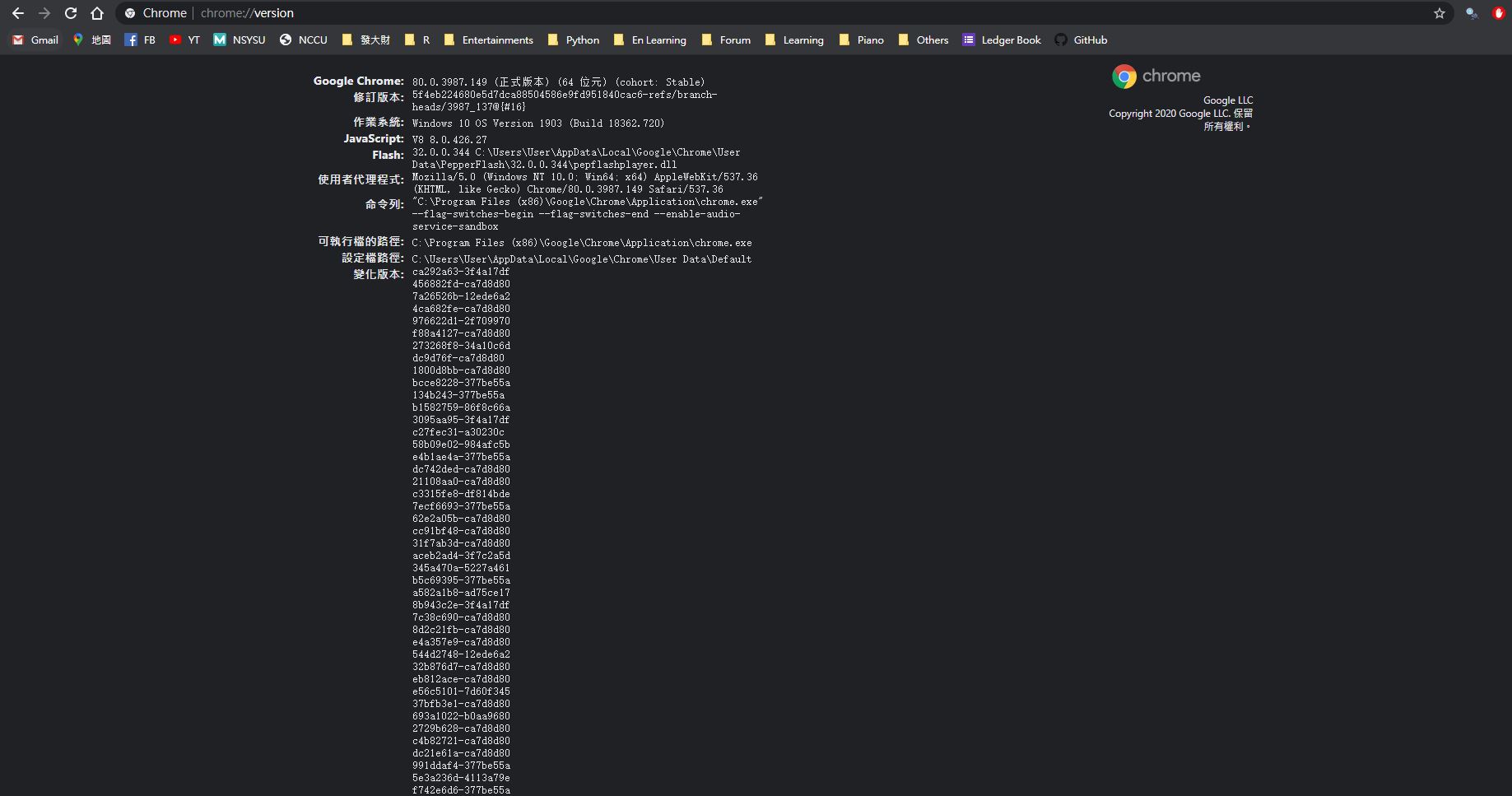
問題就在於爬蟲時我們訪問網站是直接進入該link,因此當網站對我們發送請求時,我們無法給予回應,多數網站便會將我們導向錯誤頁或是跳轉頁,使我們的爬蟲無法繼續進行,因此我們採取的手段便是給予一個假的用戶端資訊,讓網站能導向至我們想要前往的目的地。Python在使用request時在header加入資訊即可,如下:
import requests

headers = {'user-agent': 'Mozilla/5.0 (Macintosh Intel Mac OS X 10_13_4) AppleWebKit/537.36 (KHTML, like Gecko) Chrome/66.0.3359.181 Safari/537.36'}
r = requests.get("https://heavenlyfood.cn/view/outline.php?id=103&sub=4&message=1",headers=headers) #將此頁面的HTML GET下來
print(r.text) #印出HTML
而在R之下,我們是在read_html時,加入useragent,也可以做到相同的事情
# setting a fake user agent
uastring <- "Mozilla/5.0 (Macintosh Intel Mac OS X 10_13_4) AppleWebKit/537.36 (KHTML, like Gecko) Chrome/66.0.3359.181 Safari/537.36"
view_link <- "https://heavenlyfood.cn/view/menu.php?id=103"
id_link <- read_html(html_session(view_link, user_agent(uastring)))
而這次我要爬的網站是之前的中國聖經網站,這次網站他加入了UserAgent,因此過往的爬蟲皆須加上一個header去回應她的request。另外這次需要使用類似branch的方式爬取,從網站上端的結構往下爬取,從最上端到下端分別為view/id/sub三層結構,而sub頁則有數篇文章,我需建立樹狀結構資料夾來存放這些端點的文章,並且按照一定的規則去做命名,最終爬下的網站結果如下四圖,分別為view層/id層/sub層/文章列表/文章格式:
view層
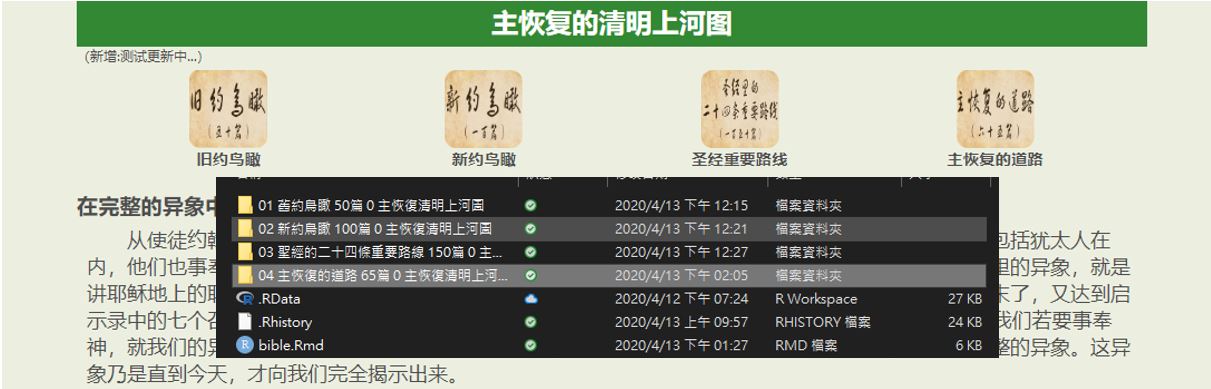
id層
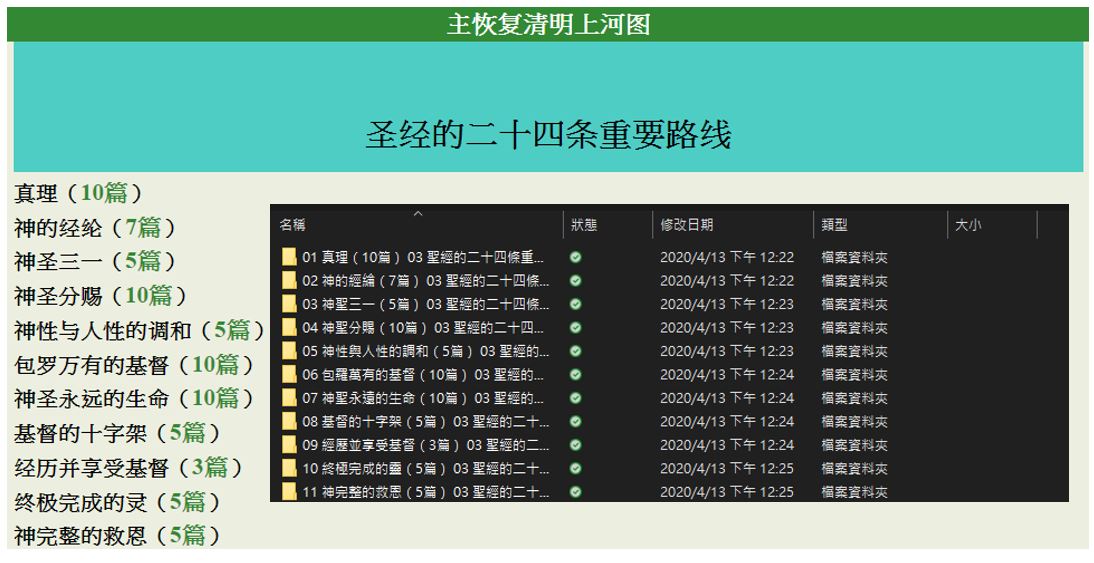
sub層
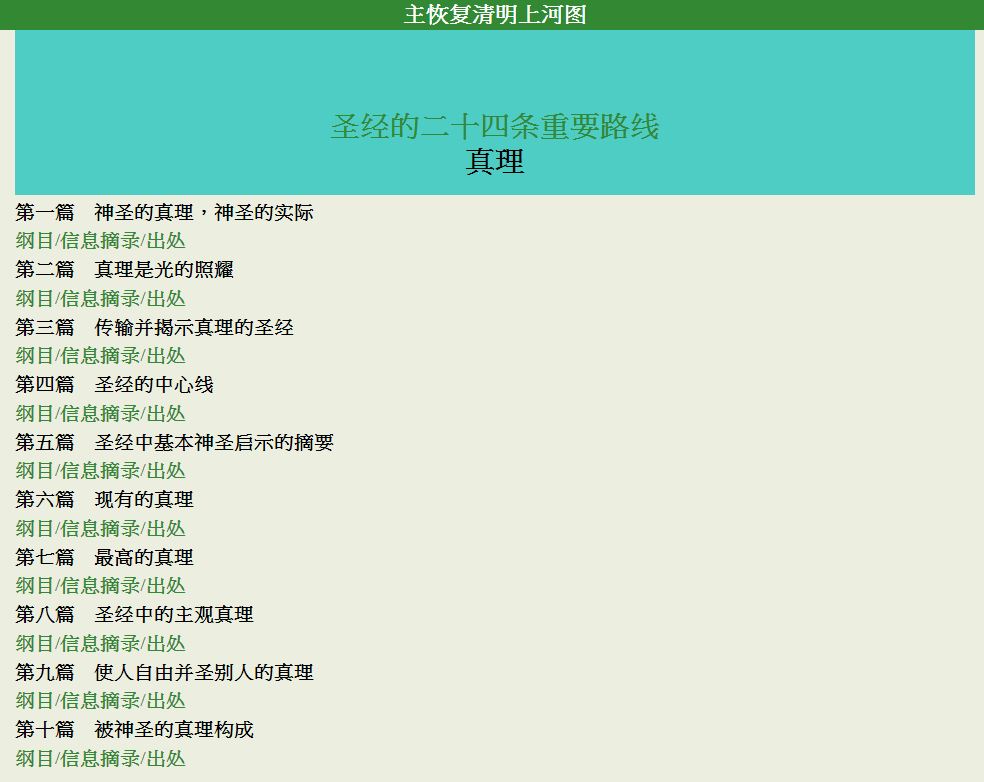 文章列表
文章列表
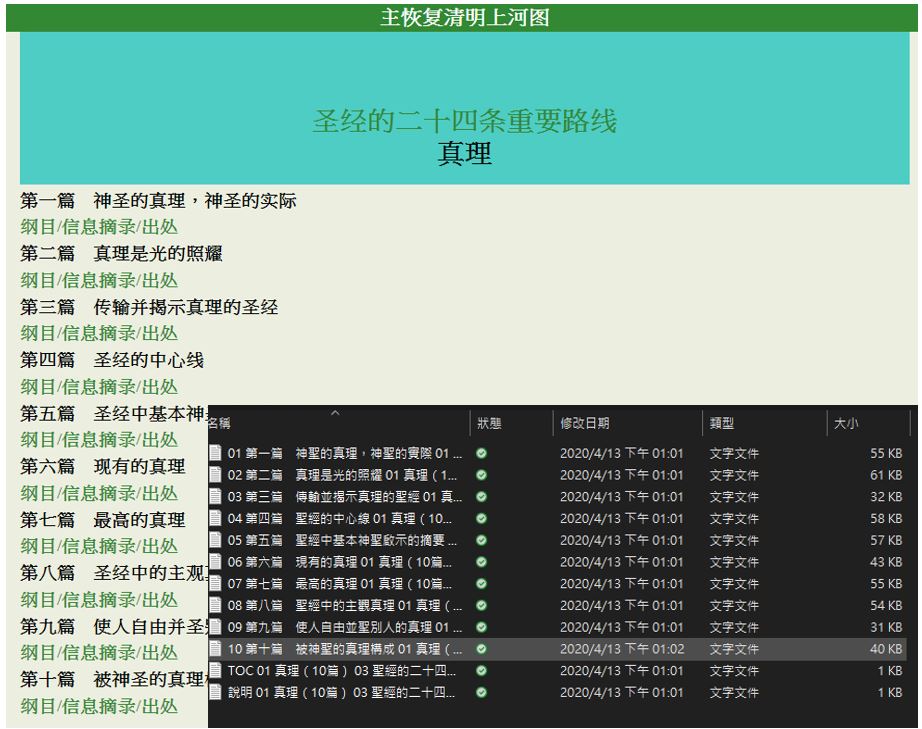 文章格式
文章格式
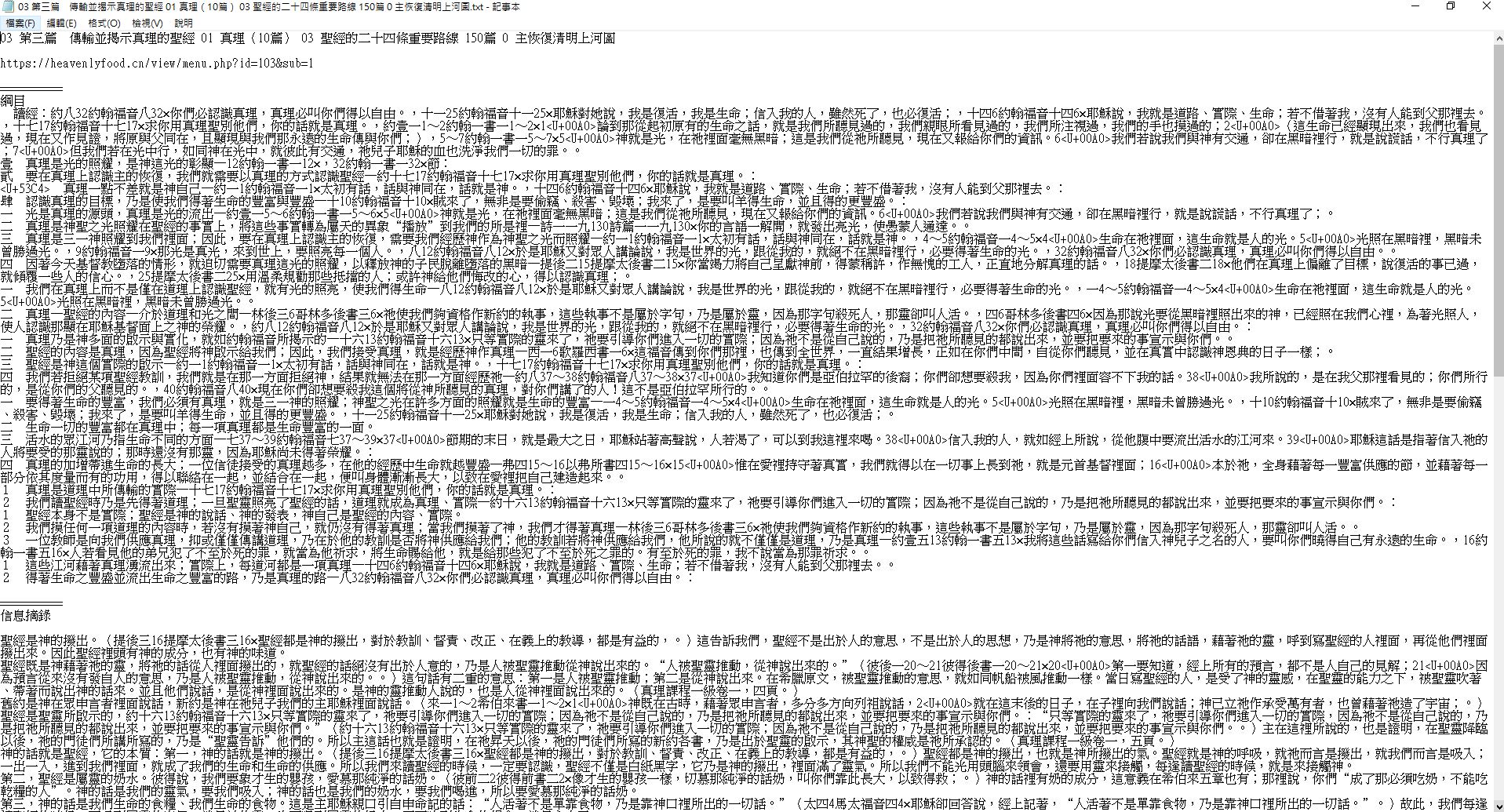
下面附上code,懶得而外細講,說明幾乎都在註解上了,基本上就是id頁那個view_link的id換成101、102、103、104再向下執行便可: # import packages
if (!require(httr))install.packages("httr")
library(httr)

if (!require(rvest))install.packages("rvest")
library(rvest)

if (!require(ropencc))devtools::install_github("qinwf/ropencc")
library(ropencc)

# def simple to traditional
trans <- converter(S2TWP)

# setting a fake user agent
uastring <- "Mozilla/5.0 (Macintosh Intel Mac OS X 10_13_4) AppleWebKit/537.36 (KHTML, like Gecko) Chrome/66.0.3359.181 Safari/537.36"
id頁抓取標題& link
view_link <- "https://heavenlyfood.cn/view/menu.php?id=104"
id_link <- read_html(html_session(view_link, user_agent(uastring)))

# 文章篇數
msg_num <- sum(as.integer(strsplit(html_text(html_nodes(id_link,"div#title a#wt")),split="篇",fixed=T)))

# 抓取branch文字
w1 = "TOC"## TOC
w4 = strsplit(view_link,split="id=1",fixed=T)[[1]][2]## 03
w5 = run_convert(trans, html_text(html_nodes(id_link,"div#chap1"))[2])## 聖經的二十四條重要路線
w6 = paste0(msg_num,"篇") ## 150篇
w7 = "0" ## 0
w8 = run_convert(trans, html_text(html_node(id_link,"a#topwhite"))[1])## 清明上河圖
w = paste(w1,w4,w5,w6,w7,w8)
ex = paste("說明",w4,w5,w6,w7,w8)
bar<- "=========="

# 抓取sub章標題
id1 <- html_nodes(id_link,"div#title font")
sub_title_list <- html_text(id1)
sub_title <- run_convert(trans, sub_title_list)

# 抓取前一個branch link
last_id <- paste0("https://heavenlyfood.cn/view/",html_attr(html_nodes(id_link ,"div#chap1 a#wtt") ,"href"))

# create folder
id_name <- paste(w4,w5,w6,w7,w8)
folder <- paste0("./",id_name)
dir.create(folder)

# set wd
id_path = paste0(getwd(),"/",id_name)
setwd(id_path)

# 寫出id頁
id_page <- c(w,bar,last_id,sub_title,bar,bar)
write.table(id_page,paste0(w,".txt"),row.names = FALSE,col.names = FALSE,quote = FALSE,fileEncoding="UTF-8")

# 寫出id說明頁
ex_page <- c(ex,bar,last_id,sub_title,bar,bar)
write.table(ex_page,paste0(ex,".txt"),row.names = FALSE,col.names = FALSE,quote = FALSE,fileEncoding="UTF-8")

# 抓取sub link
url <- html_nodes(id_link,"div#title a#wt")
sub_links <- paste0("https://heavenlyfood.cn/view/",html_attr(html_nodes(id_link,"div#title a#wt"),"href"))
sub頁抓取標題&link&存msg
# 讀取sub頁面
for(ii in 1:length(sub_links)){
setwd(id_path)
sub_link <- sub_links[ii]
link <- sub_link
sub <- html_session(sub_link, user_agent(uastring))
sub <- read_html(sub)

# 抓取文章link
url <- html_nodes(sub,"div#title a#wtt")
urls <- paste0("https://heavenlyfood.cn/view/",html_attr(html_nodes(sub,"div#title a#wtt"),"href"))

# 抓取branch文字
w1 = "TOC"## TOC
if(nchar(strsplit(link,split="&sub=",fixed=T)[[1]][2])<2){
  w2 = paste0("0",strsplit(link,split="&sub=",fixed=T)[[1]][2])
  }else{w2 = strsplit(link,split="&sub=",fixed=T)[[1]][2]}## 04
w3 = run_convert(trans, html_text(html_node(sub,"div#title"))[1])## 神聖分賜(10篇)
w4 = strsplit(strsplit(link,split="id=1",fixed=T)[[1]][2],split="&",fixed=T)[[1]][1]## 03
w5 = run_convert(trans, html_text(html_node(sub,"div#chap1"))[1])## 聖經的二十四條重要路線
w6 = paste0(msg_num,"篇") ## 150篇
w7 = "0" ## 0
w8 = run_convert(trans, html_text(html_node(sub,"a#topwhite"))[1])## 清明上河圖
w = paste(w1,w2,w3,w4,w5,w6,w7,w8)
bar<- "=========="

# 抓取前一個branch link
last_id <- paste0("https://heavenlyfood.cn/view/",html_attr(html_nodes(sub,"div#chap1 a#wtt") ,"href"))

# 抓取文章標題
sub1 <- html_nodes(sub,"div#title font")
book_title_list <- html_text(sub1)
book_title <- run_convert(trans, book_title_list[2:length(book_title_list)])

# 抓取文章link
url <- html_nodes(sub,"div#title a#wtt")
urls <- paste0("https://heavenlyfood.cn/view/",html_attr(url,"href"))

# create a folder
folder <- paste0("./",paste(w2,w3,w4,w5,w6,w7,w8))
dir.create(folder)

# set wd
path = paste0("./",paste(w2,w3,w4,w5,w6,w7,w8))
setwd(path)

# 寫出sub頁
sub_page <- c(w,bar,last_id,book_title,bar,bar)
write.table(sub_page,paste0(w,".txt"),row.names = FALSE,col.names = FALSE,quote = FALSE,fileEncoding="UTF-8")

# 寫出說明頁
ex = paste("說明",w2,w3,w4,w5,w6,w7,w8)
ex_page <- c(ex,bar,last_id,book_title,bar,bar)
write.table(ex_page,paste0(ex,".txt"),row.names = FALSE,col.names = FALSE,quote = FALSE,fileEncoding="UTF-8")

# message 文章儲存
for(i in 1:length(book_title)){
msg_link1 <- urls[(3*i-2):(3*i)]
## 綱目
msg1 <- read_html(html_session(msg_link1[1], user_agent(uastring)))
cont1 <- run_convert(trans,c(html_text(html_nodes(msg1,paste0("article div#c",1))),html_text(html_nodes(msg1,paste0("article div#c",2))),html_text(html_nodes(msg1,paste0("article div#c",3)))))
## 信息摘錄
msg2 <- read_html(html_session(msg_link1[2], user_agent(uastring)))
cont2 <- run_convert(trans,html_text(html_nodes(msg2,"div.cont"),trim = TRUE))
## 出處
msg3 <- read_html(html_session(msg_link1[3], user_agent(uastring)))
cont3 <- run_convert(trans,c(html_text(html_nodes(msg3,paste0("article div#c",1))),html_text(html_nodes(msg3,paste0("article div#c",2))),html_text(html_nodes(msg3,paste0("article div#c",3)))))
## 整合匯出
wi = i
if(wi<10){wi = paste0("0",i)}
msg_w = paste(wi,book_title[i],w2,w3,w4,w5,w6,w7,w8)
write.table(c(msg_w,"",link,"",bar,"綱目",cont1,"",bar,"信息摘錄",cont2,"",bar,"出處",cont3,bar),paste0(msg_w,".txt"),fileEncoding="UTF-8",row.names = FALSE,col.names = FALSE,quote = FALSE)}
}