在之前的文章裡(link:https://hermitlin.netlify.com/post/2019/05/23/web-crawler-on-simple-chinese-web/) ,我只抓取了該本書的八個章節,而最近我需要將其改為能對於該網站(link: https://heavenlyfood.cn/books/menu.php?id=2021) 的各本書進行相同的爬取,並且須以該書名建立資料夾,儲存該本書各章節的內容。同樣的,我使用了rvest與ropencc這兩個package幫我完成爬蟲以及簡轉繁的工作。
import packages
if (!require(rvest))install.packages("rvest")
library(rvest)

if (!require(ropencc))devtools::install_github("qinwf/ropencc")
library(ropencc)
crawler
##Link the website
#read the html
num = 2018 #更改這個數字即可
link = paste0("https://heavenlyfood.cn/books/menu.php?id=", num)
bible <- read_html(link)

#def simple to traditional
trans <- converter(S2TWP)

#get the book title
book_title1 <- html_nodes(bible,"#mainwhite")
book_title <- html_text(book_title1)
book_title <- run_convert(trans, book_title[1])

#create a folder
folder <- paste0("./", book_title)
dir.create(folder)

#get the title
bible_title <- html_nodes(bible,"div#title div a#wt")
title <- html_text(bible_title)
title <- run_convert(trans, title) #trans simple chinese to traditional chinese

#get the chapter's url
url <- html_nodes(bible,"div#title")
url = seq(length(url))

## Content Grabbing
#set wd
path = paste0("./",book_title)
setwd(path)

for(i in c(1:length(title))){
  #link to the chapter url
  chapter_url <- paste0("https://heavenlyfood.cn/books/", num,"-",url[i])
  bible1 <- read_html(chapter_url)

  #grab the content
  bible_cont <- html_nodes(bible1,".cont")
  cont <- html_text(bible_cont,trim = TRUE)

  #trans simple Chinese to traditional Chinese
  cont[1] <- title[i] #name the title
  cont <- run_convert(trans, cont)

  #output the txt for each chapter
  nam <- paste("第",i,"篇 ",title[i],".txt", sep=" ")
  write.table(cont,nam)
}
該網站一個數字代表一本書,而書又會有數篇文章。網站的結構如下:
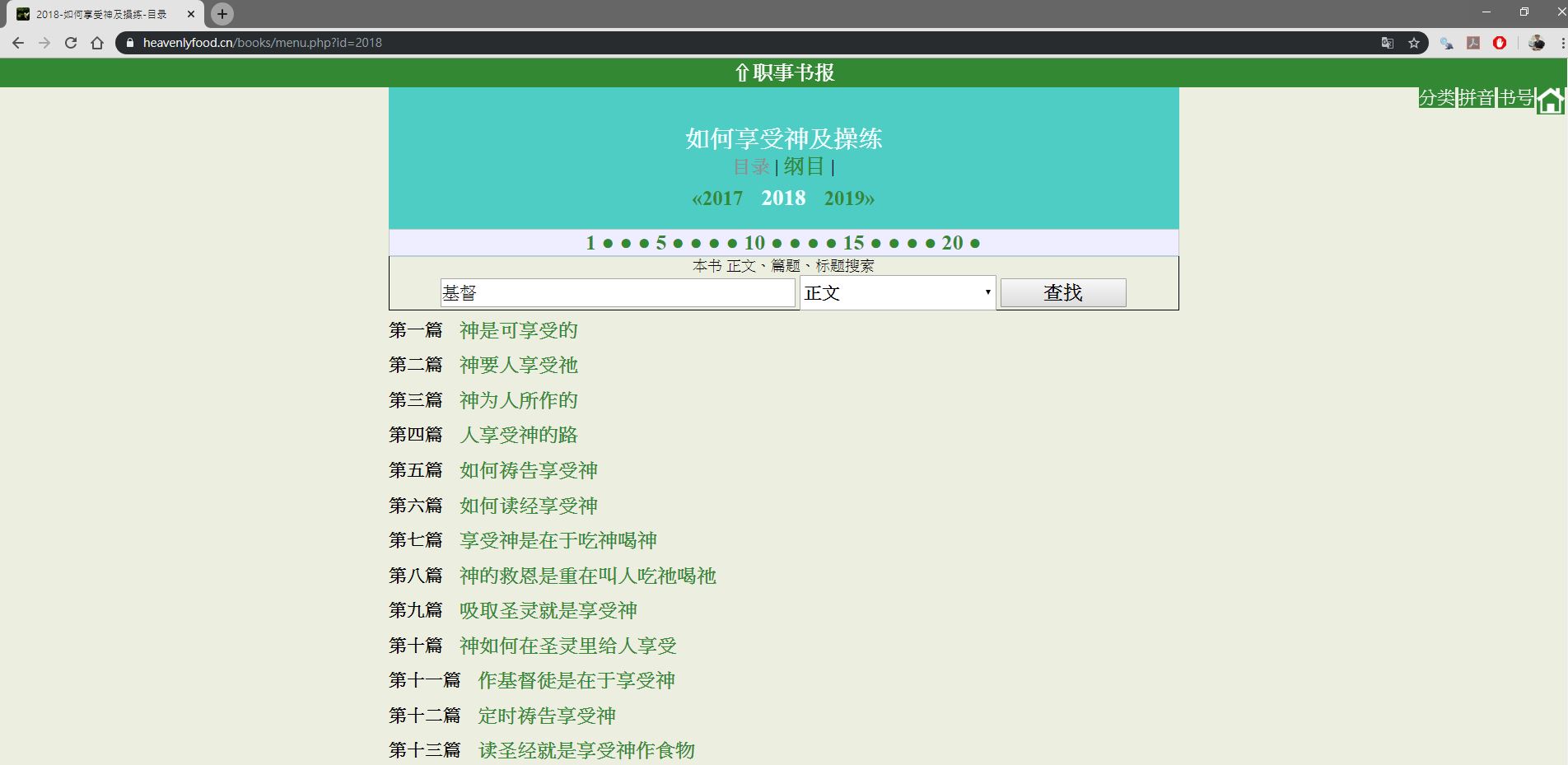
這個是指2018的目錄下有一本“如何享受神及操練”的書,以及超過13篇的文章。
因此只要將想爬下的數字KEY IN 代碼中的num,即可爬下該本書的內容,而檔案會儲存於code的相同目錄之下,並建立以書名命名的資料夾,存放書本各篇文章。結果如下:

以書名建立的各資料夾。
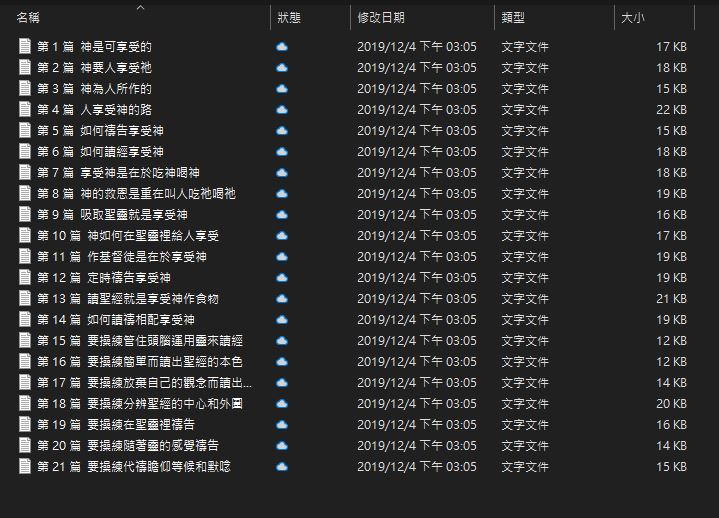
在書名資料夾下該本書的各篇文章。
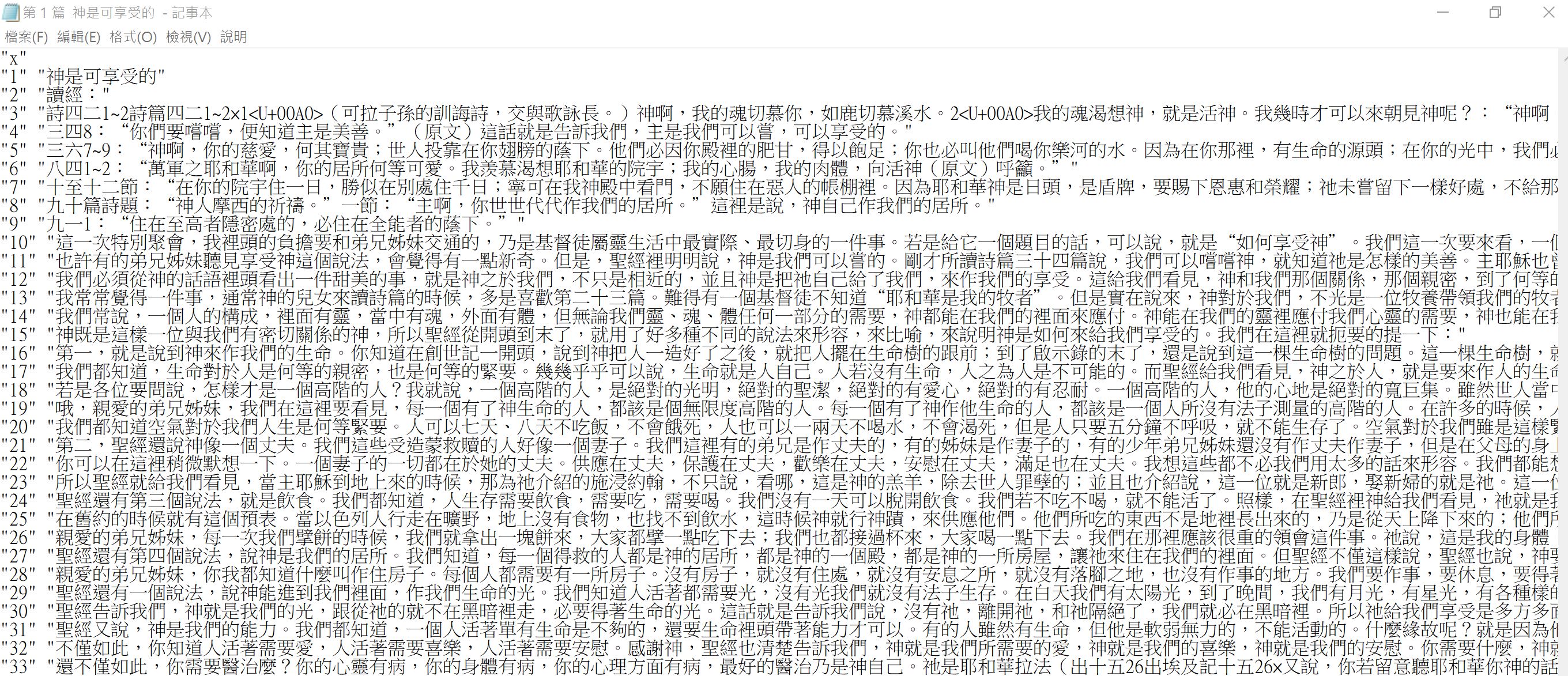
文章儲存的內容。